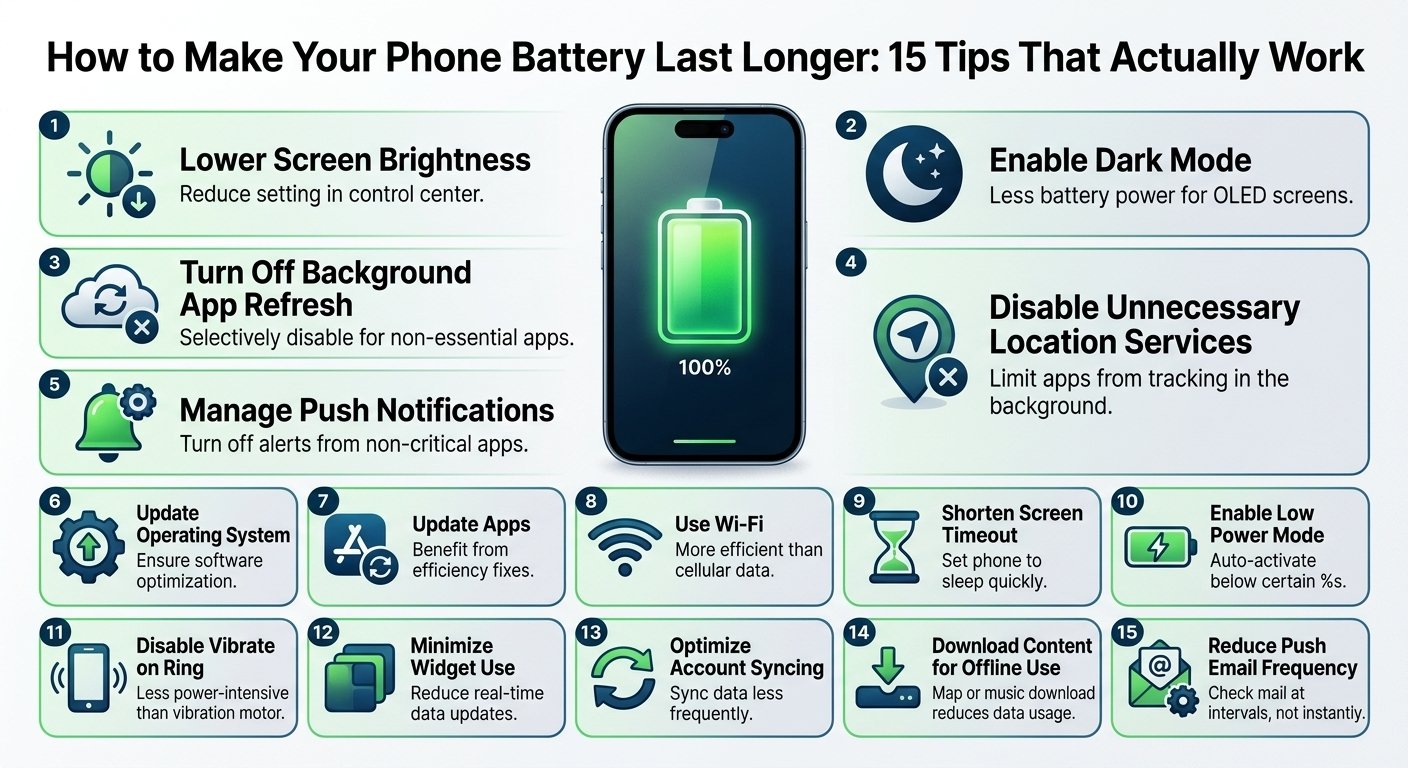
Battery dying too fast? Here are 15 practical tips to extend your phone’s battery life, plus charging habits that protect battery health.
Nothing is more frustrating than a phone that dies at 3 p.m. Whether you have an iPhone or an Android, small changes to your settings and charging habits can add hours to your day and extend the lifespan of the battery itself. Here are 15 tips that actually work.
Part 1: Settings that save battery
1. Lower your screen brightness. The display is usually the biggest battery drain. Use auto-brightness or manually keep it as low as is comfortable.
2. Shorten screen timeout. Set your screen to turn off after 30 seconds instead of two minutes. It is a tiny change that adds up over a full day.
3. Use dark mode. On phones with OLED screens, dark mode turns off pixels that display black, which reduces power use. On LCD screens the savings are small, but it is still easier on the eyes at night.
4. Turn on battery saver mode. Low Power Mode on iPhone and Battery Saver on Android reduce background activity, visual effects, and performance when you need your phone to last longer.
5. Reduce refresh rate. Many modern phones offer 90Hz or 120Hz screens. Smooth scrolling looks great but uses more power. Switching to standard 60Hz can noticeably extend battery life.
6. Turn off features you are not using. Bluetooth, Wi-Fi, GPS, and NFC all consume power when they are searching for connections. Disable them when you do not need them.
Part 2: App habits that matter
7. Check which apps use the most battery. Open Settings, then Battery, and look at the usage list. If an app you barely use sits near the top, restrict its background activity or uninstall it.
8. Limit location access. Set location to “While Using the App” instead of “Always” for most apps. Constant GPS tracking drains the battery quickly.
9. Turn off unnecessary notifications. Every notification wakes up your screen and your processor. Keep alerts only for apps that truly matter.
10. Stop apps from refreshing in the background. Disable Background App Refresh on iPhone or restrict background data on Android for social media and shopping apps.
Part 3: Charging habits that protect your battery
11. Avoid extreme temperatures. Heat is the biggest enemy of lithium-ion batteries. Do not leave your phone in a hot car, under a pillow while charging, or in direct sun.
12. Try to keep charge between 20% and 80%. Lithium-ion batteries age more slowly when they are not constantly pushed to 0% or 100%. You do not need to be perfect, but avoiding regular full drains helps.
13. Use optimized or adaptive charging. iPhone has Optimized Battery Charging, and many Android phones have Adaptive Charging. These features slow charging overnight so your phone does not sit at 100% for hours.
14. Use a quality charger and cable. Cheap, uncertified chargers can charge slowly, overheat, and damage the battery over time. Stick to the original charger or a reputable brand.
15. Remove thick cases while charging. If your phone gets warm during charging, taking off a bulky case lets heat escape more easily.
Myths about phone batteries
“Closing all apps saves battery.” Not really. Modern phones freeze background apps, and reopening them from scratch can actually use more power.
“You should drain the battery to 0% before charging.” This was true for very old battery types but is not needed for modern lithium-ion batteries.
“Overnight charging ruins the battery.” Phones stop charging when they are full, and smart charging features reduce the impact even more. Heat is a bigger concern than the time spent plugged in.
How to check if your battery needs replacing
On iPhone, go to Settings, then Battery, then Battery Health and look at the maximum capacity. Apple considers a battery worn when capacity falls significantly, and many people consider replacing it below about 80%. On Android, check the battery section in Settings or the manufacturer’s diagnostics app. If your phone shuts down at 20–30% or you get less than half the usage you used to, a replacement is worth considering.
Final thoughts
You do not need a new phone to enjoy better battery life. Combine a few smart settings with healthy charging habits, and you can add hours to your daily usage and keep the battery healthy for years.