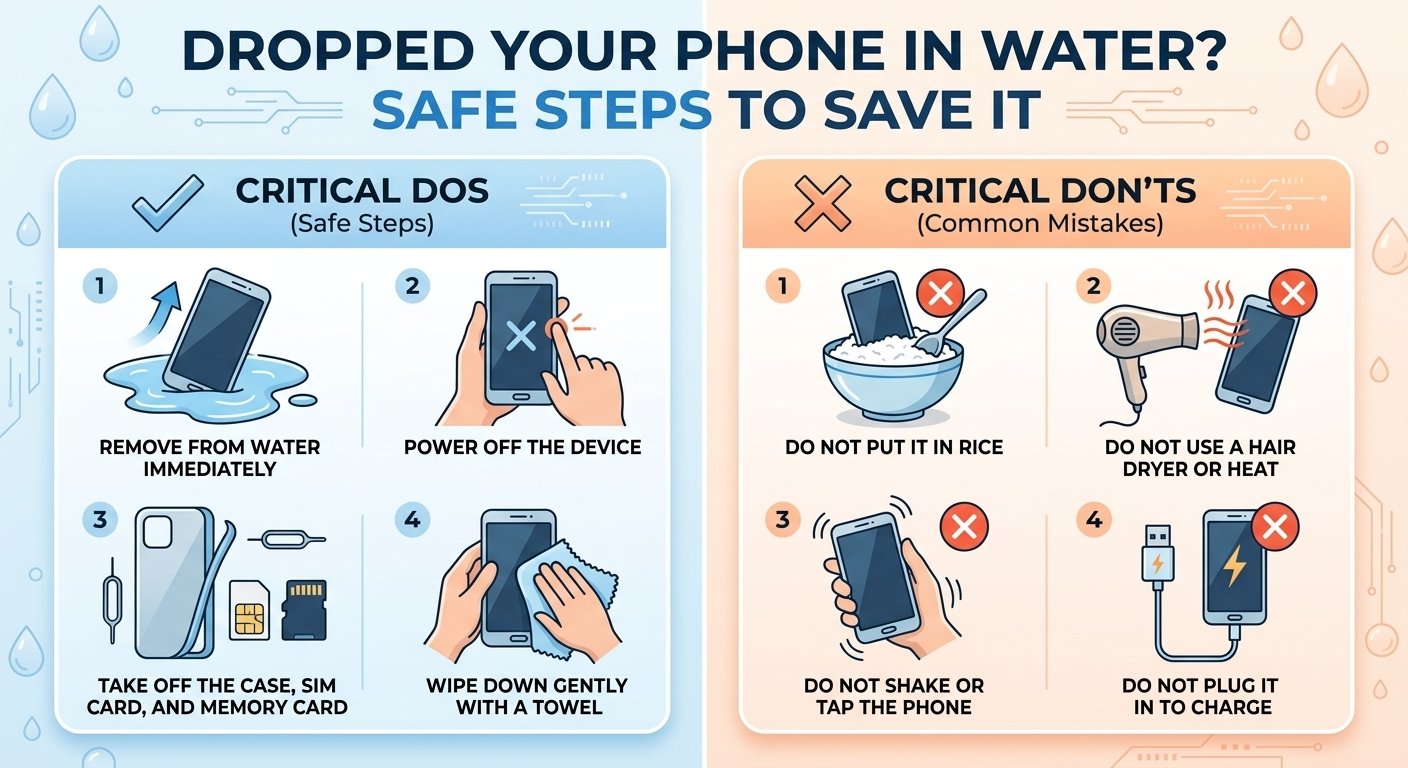
Whether it slipped into a sink, a swimming pool, or the toilet, a phone falling into water is a moment of pure panic. What you do in the first few minutes can decide whether your phone survives. Here is the right way to handle it, along with common mistakes that make things worse.
Step 1: Take it out immediately
Every second counts. Pick up the phone as fast as possible. The less time it spends submerged, the lower the chance that water reaches the internal parts.
Step 2: Turn it off right away
If the phone is still on, power it down immediately. Water and electricity are a dangerous combination, and a short circuit is the most common cause of permanent damage. Do not try to check if it still works, do not press buttons repeatedly, and do not plug it into a charger.
Step 3: Remove the case, SIM tray, and accessories
Take off the case, any cards, and the SIM tray if your phone has one. This allows moisture to escape and prevents water from being trapped. Remove any headphones or cables as well.
Step 4: Wipe the outside
Use a soft, dry cloth or paper towel to gently wipe the exterior. Pay attention to the ports, buttons, and speaker grills. Do not shake the phone hard, because that can push water deeper into the device.
Step 5: Let water drain gently
Hold the phone with the charging port facing down and tilt it gently so that water can run out. Light tapping against your palm can help, but be gentle.
Step 6: Let it dry in a safe, airy place
Place the phone in a dry area with good airflow and leave it for at least 24 to 48 hours. Patience is crucial. Many phones are ruined because people turn them on too early, while moisture is still inside.
Step 7: Try to turn it on after it is fully dry
After a day or two, try powering it on. If it turns on, back up your data immediately and check that the speakers, microphone, camera, and charging port all work. Moisture can cause problems later, so keep an eye on the device over the next few days.
What NOT to do
Do not turn it on to test it. This is the most common and most damaging mistake.
Do not charge it. Charging a wet phone can cause short circuits and damage the battery.
Do not use a hair dryer or other heat source. High heat can warp internal parts, damage the battery, and push moisture deeper. Apple specifically advises against using an external heat source or compressed air.
Do not put it in rice. This is a popular myth. Rice is not effective at pulling moisture out of electronics, and small grains or dust can get into the ports and cause new problems. Apple also recommends against it.
Do not insert objects into the ports. Cotton swabs, paper towels, or paper clips can push water further in or damage the connector.
Do not freeze it. Freezing can create ice crystals and make the damage worse.
What about water-resistant phones?
Many modern phones carry an IP rating, such as IP67 or IP68, meaning they can survive some immersion in fresh water for a limited time. However, water resistance is not waterproofing. Seals can weaken with age, drops and cracks reduce protection, and the ratings usually apply to clean fresh water, not salt water, pool water, soap, or hot water. Warranties often do not cover liquid damage, even when the phone is rated water-resistant.
Salt water and other liquids
If your phone was dropped in salt water, a drink, or anything other than clean fresh water, the situation is more serious. Salt and sugar leave residues that corrode components. In this case, it is better to take the phone to a professional repair shop as soon as possible, rather than trying to dry it yourself.
When to take it to a professional
If the phone does not turn on after drying, shows strange behavior like flickering screens, speaker problems, or fast battery drain, or if it fell in salt water or a sugary drink, visit a trusted repair center. Technicians can open the device, clean the board, and sometimes recover your data.
Final thoughts
The golden rules are simple: get it out, turn it off, dry it gently, and be patient. Avoid the popular myths, and back up your phone regularly so that even in the worst case, your photos and contacts are safe.