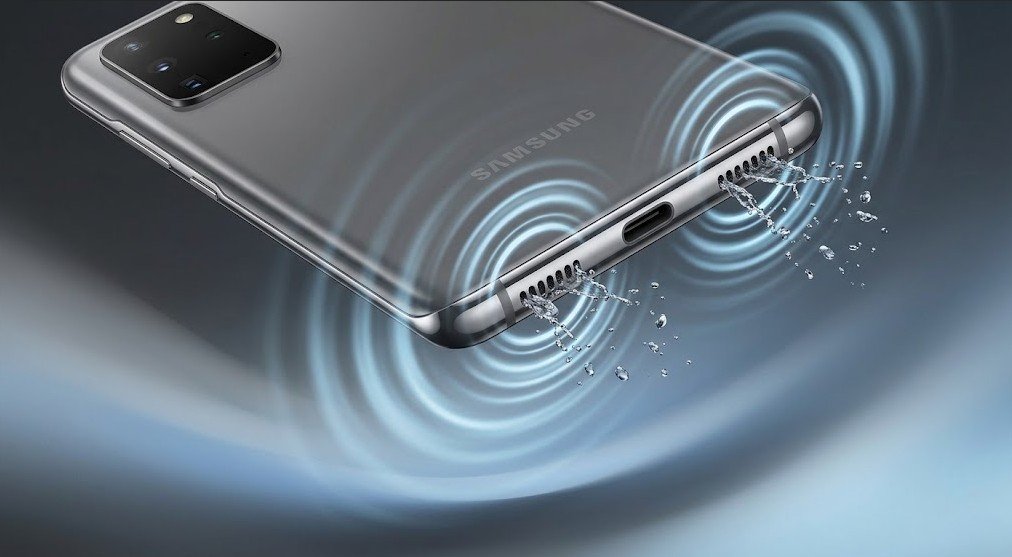
While Samsung Galaxy smartwatches feature an automated water-ejection routine, Galaxy smartphones do not include a dedicated expulsion button in One UI. When liquid enters the chassis perimeter, surface tension holds water directly against the exterior acoustic mesh, muffling dialogue and muddying mid-range tones.
Because Samsung implements distinct speaker layouts and audio post-processing across its flagship, mid-range, and foldable lineups, clearing trapped liquid requires targeting your specific hardware configuration.
Samsung Audio Layouts: Where the Moisture Sits
-
Galaxy S Series (S22 through S25, Ultra models): Dual-driver stereo configuration. The primary dynamic driver vents beside the USB-C charging port, while an ultra-thin slit along the top edge of the display glass serves as both call receiver and secondary stereo channel. Both ports require independent clearing.
-
Galaxy A Series (A15, A25, A34, A54, A55): Typically relies on a single high-output bottom speaker with a wider, shallower port design. Water enters more easily during surface splashes, but the open grille geometry also releases moisture faster under mechanical vibration.
-
Galaxy Z Series (Fold & Flip):
-
Z Flip: Droplets collect in the flex gap around the mechanical hinge and can slowly migrate toward the lower driver.
-
Z Fold: Features dedicated speaker apertures along both the top and bottom chassis rails when held vertically, meaning four separate exit zones require gravitational assistance.
-
Preparation: Adjust One UI to Maximize Acoustic Pressure
Before running any frequency-based cleaning sweeps, disable Samsung’s audio processing to ensure raw, uncompressed cone movement:
-
Bypass Dolby Atmos: Go to Settings > Sounds and vibration > Sound quality and effects and toggle Dolby Atmos to Off. Virtual surround-sound processing limits peak excursion on low frequencies.
-
Turn off Adapt Sound: In the same menu, set Adapt Sound to Off so custom EQ profiles do not suppress targeted bass tones.
-
Crank Media Gain: Raise media volume to 100%.
The Ejection Procedure
-
Bottom Driver Sweep:
-
Hold the phone vertically with the USB-C port facing straight toward the ground.
-
Play a sustained low-frequency acoustic wave sweeping between 165 Hz and 230 Hz for 45 to 60 seconds.
-
Lightly dab the grille with a lint-free microfiber cloth as droplets bead on the exterior.
-
-
Earpiece / Secondary Driver Sweep:
-
Invert the phone so the top display edge points toward the floor.
-
Run the sweep for an additional 30 seconds to blow droplets free from the narrow earpiece channel.
-
-
Foldable Specifics: Unfold Z Fold or Z Flip units completely flat before running cycles to prevent moisture from trapping inside the hinge housing.
Resolving Samsung-Specific Issues
The “Moisture Detected” Alert at the USB-C Port
Samsung’s hardware safety trigger frequently locks out wired charging when speaker water splashes into the neighboring charging pins:
-
Do not attempt to charge the device using a cable while this icon is visible (wireless charging remains safe and functional).
-
Position the phone upright with ports facing down in front of a cool-air fan for 1 to 2 hours.
-
If the warning remains stuck after the port is completely dry, clear the cached sensor state: go to Settings > Apps > Filter icon (toggle Show system apps) > USBSettings > Storage > Clear Cache, then reboot the phone.
Confirming Driver Health via One UI Diagnostics
To verify whether muffled audio is caused by lingering moisture or actual hardware failure:
-
Open the Samsung Members app (or navigate to Settings > Battery and device care > Diagnostics).
-
Select Phone diagnostics > Speaker.
-
Listen closely to both the top and bottom speakers during playback to verify channel balance and clarity.
Samsung Water Resistance Reality Check
| Lineup | Typical Rating | Key Limitation |
| Galaxy S Flagships | IP68 | Rated for fresh water only up to 1.5 meters for 30 minutes; speaker mesh remains physically open to splashes. |
| Galaxy A Series | IP67 / None | Splash resistance varies; lower-tier models lack internal water gaskets around internal modules. |
| Galaxy Z Fold / Flip | IPX8 | Water-resistant against immersion, but carries zero certified dust protection; drying the hinge cavity quickly is critical. |
Note: Pool chlorine and ocean saltwater degrade the acoustic adhesive seals inside Galaxy speaker chambers. If exposed to salt or chlorinated water, lightly rinse ports with a small trickle of fresh tap water first before executing the acoustic ejection cycle.