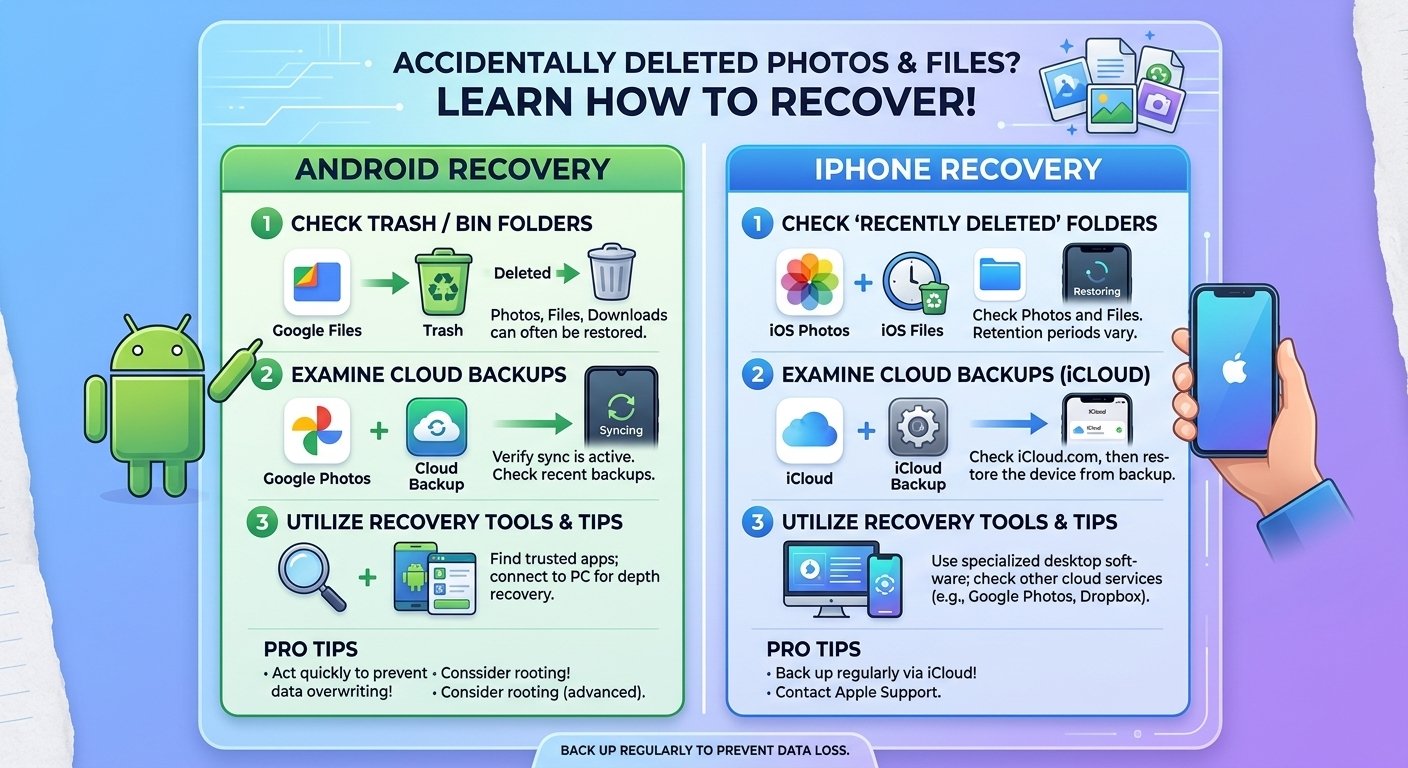
Deleting the wrong photo or file is a sinking feeling, but the situation is rarely hopeless. Phones and cloud services are designed with safety nets, and in many cases you can get your files back in minutes. The key is to act quickly and follow the right steps. Here is how to recover deleted photos and files on both iPhone and Android.
First, stop and do not panic
When a file is deleted, the space it used is marked as available, but the data may still exist until new data overwrites it. The less you use your phone after the deletion, the better your chances. Avoid taking lots of new photos, installing big apps, or downloading large files until you have tried to recover what you lost.
Recover deleted photos on iPhone
Step 1: Check the Recently Deleted album. Open the Photos app, scroll to Utilities, and tap Recently Deleted. Photos and videos stay there for 30 days. Select the items you want and tap Recover. You may need Face ID or a passcode to open this album on newer versions of iOS.
Step 2: Check iCloud on the web. If you use iCloud Photos, sign in at iCloud.com and look at the Recently Deleted section there. Deletions sync across all your devices, so a photo removed on your phone is also removed from iCloud, but it should still sit in the same 30-day folder.
Step 3: Restore from a backup. If the 30 days have passed, you may still have an iCloud or computer backup that contains the photos. Be careful with this option, because restoring a backup replaces the current data on your phone with the older version. Back up your current data first if you can.
Recover deleted photos on Android
Step 1: Check Google Photos Trash. Open Google Photos, tap Library, then Trash (or Bin). Items that were backed up stay there for 60 days, while items that were not backed up usually stay for 30 days. Select your photos and tap Restore.
Step 2: Check your gallery’s recycle bin. Samsung Gallery, Xiaomi Gallery, and other manufacturer apps have their own recycle bin or trash folder, often keeping files for around 30 days. Open the gallery app, look for the menu, and find Recycle Bin or Recently Deleted.
Step 3: Check Google Drive and other cloud backups. If you used Google Drive, OneDrive, Dropbox, or the manufacturer’s cloud, sign in and look for your files there.
Recover other deleted files
Files app. On iPhone, the Files app has a Recently Deleted folder for files stored in iCloud Drive and on your device. On Android, many file managers, including Files by Google, have a trash folder.
WhatsApp media. WhatsApp chat backups can restore deleted messages and media. You usually need to uninstall and reinstall the app, then restore from the backup during setup. Remember that this only works if a backup existed before the deletion.
Documents and notes. Apps like Notes, Google Docs, and Microsoft Office have their own trash or version history. Check inside each app before looking elsewhere.
What about recovery apps?
You will see many apps and software tools promising to recover permanently deleted data. Be careful. On modern phones, data is usually encrypted and the storage is managed in a way that makes true recovery very difficult or impossible without a backup. Many of these tools are overpriced or ineffective, and some contain ads or even malware. If you decide to try one, choose a well-known, reputable tool, read reviews, and never give it more permissions than it needs. For truly important data, a professional data recovery service is a safer choice.
How to avoid losing files again
- Turn on automatic cloud backup for photos and videos
- Enable full device backup (iCloud Backup or Google One backup)
- Double-check before pressing Delete, especially when cleaning up storage
- Keep an extra copy of important files on a computer or external drive
- Do not empty trash folders unless you are sure
Final thoughts
In most cases, deleted photos are only a few taps away in a trash folder or cloud backup. The best protection is prevention: set up automatic backup today, and next time you delete something by accident, you will be able to get it back in seconds.