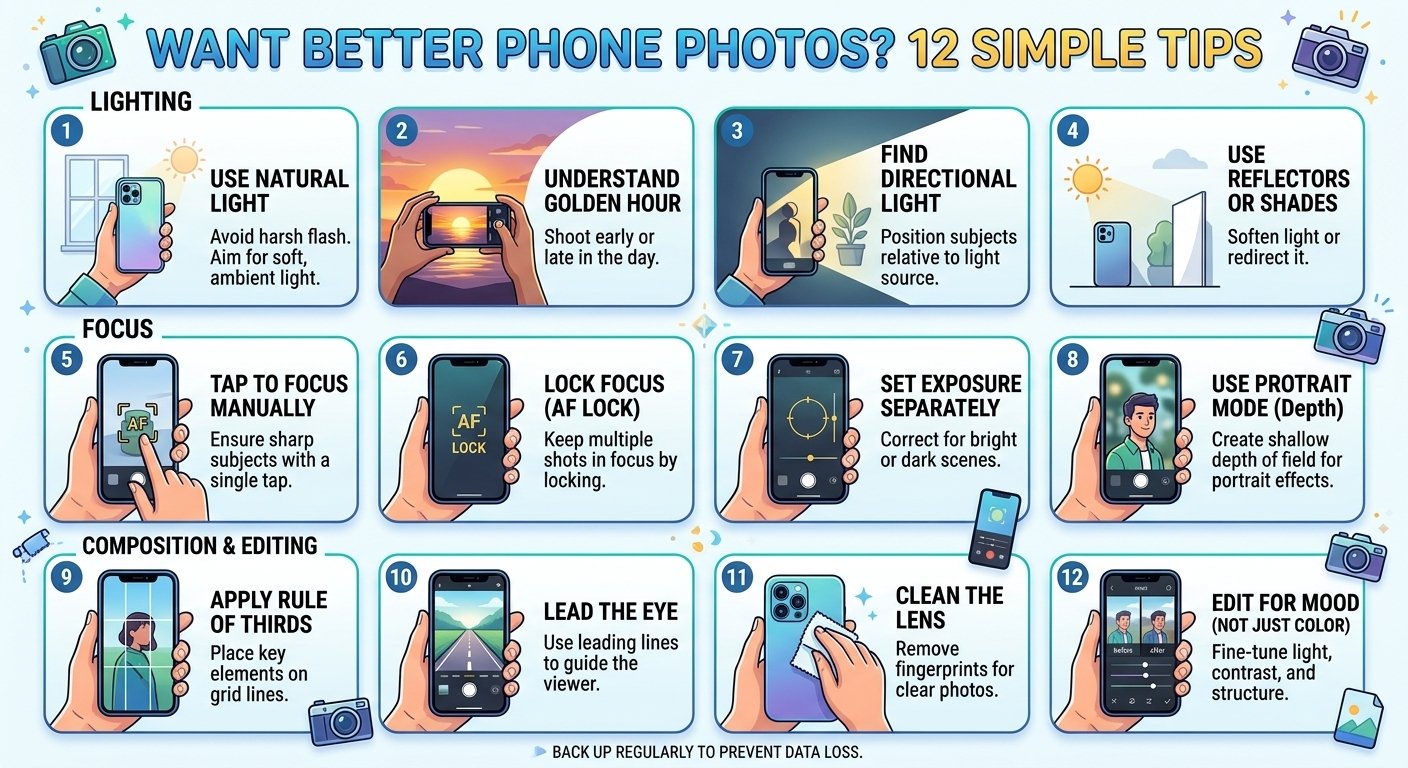
You do not need an expensive camera to take beautiful pictures. Modern phones have powerful sensors and smart software, but the way you use them makes the biggest difference. With a few simple habits, you can turn average snapshots into photos you are proud to share. Here are 12 easy tips that work on any iPhone or Android.
1. Clean your lens
This is the easiest tip and the most ignored. Fingerprints and pocket dust create hazy, blurry photos. Wipe the lens with a soft, clean cloth before you shoot, and you will often see an instant improvement.
2. Use natural light
Light is the most important ingredient in photography. Whenever possible, shoot near a window or outdoors. The soft light during the hour after sunrise and the hour before sunset, often called golden hour, makes skin tones warm and landscapes glow. Avoid harsh midday sun when you can, because it creates strong shadows.
3. Tap to focus and adjust exposure
Tap on your subject on the screen to tell the camera what should be sharp. After tapping, you can usually slide your finger up or down to make the picture brighter or darker. This simple control fixes many photos that look too dark or washed out.
4. Turn on the grid and use the rule of thirds
Enable the grid lines in your camera settings. Instead of putting your subject in the exact center, place it along one of the lines or where they cross. This simple technique makes photos feel more balanced and professional.
5. Keep your phone steady
Blurry pictures are often caused by shaky hands. Hold the phone with both hands, keep your elbows close to your body, or rest it on a surface. In dim light, a small tripod or even leaning against a wall can make a big difference.
6. Avoid digital zoom
Pinching to zoom often just crops and enlarges the image, which lowers quality. If your phone has a dedicated telephoto lens, use it. Otherwise, it is usually better to walk closer to your subject and crop later if needed.
7. Use portrait mode wisely
Portrait mode blurs the background to make your subject stand out. It works best when the subject is a few feet from the background and there is good light. Check the edges of hair and glasses, since software blur is not always perfect.
8. Learn to use night mode
Most modern phones have a night mode that combines several exposures to brighten dark scenes. Hold the phone as still as possible for the few seconds it takes. Do not use the flash unless you really need it, because it often creates harsh, flat lighting.
9. Pay attention to the background
A messy background can ruin a great subject. Before pressing the shutter, look at what is behind your subject, such as poles growing out of heads or clutter on a table. Moving a step to the side can often clean up the picture.
10. Try different angles
Everyone takes photos from eye level. Get low to make a subject look powerful, shoot from above for food and flat objects, or find interesting reflections and leading lines. A small change in angle can turn an ordinary photo into something special.
11. Use HDR and the right settings
HDR combines multiple exposures to keep details in both bright and dark areas. It is useful in scenes with strong contrast, such as a bright sky and shaded ground. Also check your camera settings for the highest photo quality, and explore formats such as RAW or ProRAW if you plan to edit seriously.
12. Edit your photos
Editing is part of modern photography. Free apps like Snapseed, Lightroom Mobile, and even the built-in editors in your gallery can adjust brightness, contrast, color, and cropping. Keep edits subtle, because heavy filters can make photos look unnatural.
Bonus: shoot more, then choose the best
Take several shots of the same scene, and use burst mode for action and pets. Delete the weaker ones later. Even professionals take many photos to get one great one.
Common mistakes to avoid
- Shooting into bright light without adjusting exposure
- Using the front camera too close, which distorts faces
- Over-editing with heavy filters
- Forgetting to check focus before moving on
- Keeping hundreds of nearly identical photos
Final thoughts
Great phone photography comes from light, composition, and practice, not from the price of your device. Try one or two of these tips each day, and within a couple of weeks your photos will look noticeably better.